
In order to use invoicing and proposals through Titus, you'll need a Titus business account. To set up an account, follow the steps below. If you already have an account on Titus, skip down to the next section to Enable Invoices and Proposals.
Setting up a Titus account
Signing up on Titus is simple and takes about 5-10 minutes to complete.
-
Go to www.gotitus.com and click 'Get Started'
-
Sign up with your phone #
-
Enter your business details
-
Complete questions for identity and business verification
-
Add the account where you'd like to get paid
Once signed up, you'll be directed to your Titus dashboard.
Enable invoices & Proposals within your Titus dashboard
Once you have an account with Titus, you can easily enable invoices.
-
Log in at www.gotitus.com with the phone # you originally used to sign up
-
Navigate to the 'Invoices' or 'Proposals' tab on the left - either will work
-
Click on the orange button to Enable
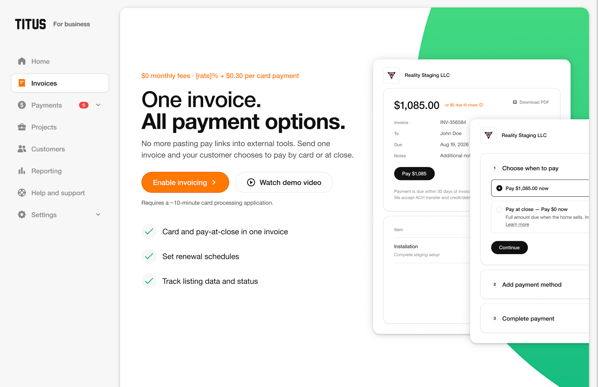
-
Complete an application to use Titus for debit and credit card payment processing
-
Once submitted, it takes about 1-2 business days for our underwriters to review
-
When approved, invoicing and proposals will be turned on within your Titus account
- You can start creating invoices and proposals